

Sociable · Backgammon
Play backgammon. Stay for the conversation.
The dice land, the board changes and suddenly there is plenty to talk about. Backgammon mixes planning with those unexpected turns that make a friendly rivalry fun. In Sociable, the game becomes another way to spend time together on your phone.
Download Sociable and turn your next chat into a game.


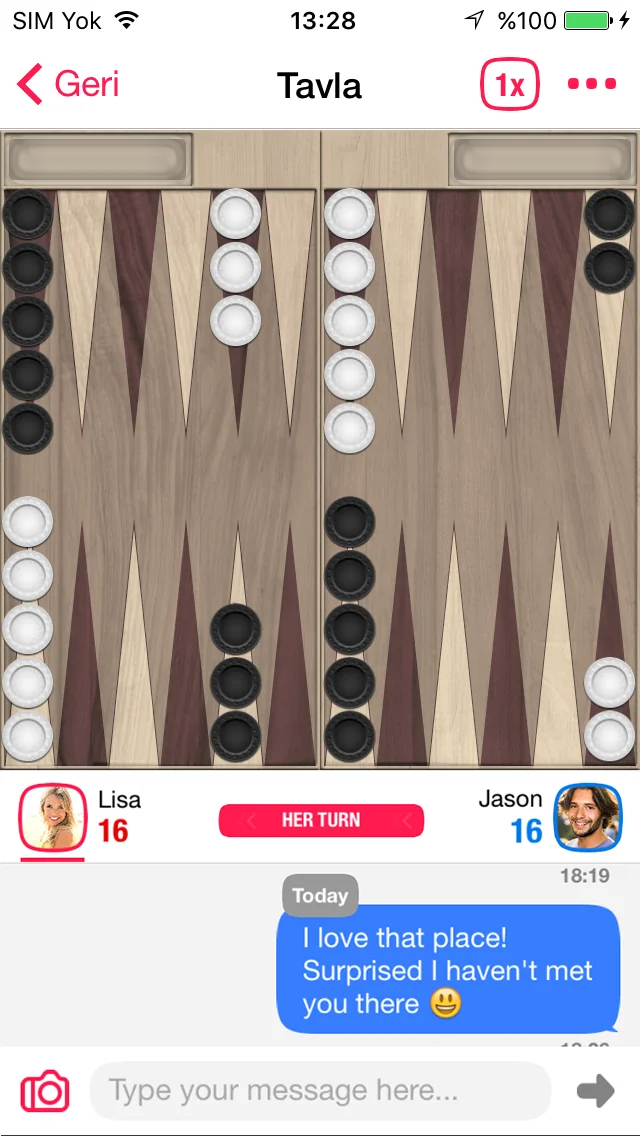
From the first roll to bearing off
Move your checkers according to the dice, work toward your home board and aim to bear them off before your opponent. Look for safe positions and consider the risk of leaving a single checker exposed. Use the rules shown in Sociable for the current match and its available options.
A big roll is only part of the story. Think about the position you will leave for your opponent.
Make room for one more round
A lucky escape, a clever block or a close finish can carry a conversation much further than another short message. Play with a friend in Sociable, enjoy the banter and choose together whether it is time for a rematch. The shared experience is the reason to keep connecting.
Sociable brings the game and the conversation together: a good move gives you something to talk about, and the next round gives you a reason to return.
From download to your first game
- Download Sociable from the App Store or Google Play and sign in or create your account in the app.
- Connect with a friend or someone you would like to get to know, then explore the game options available to you.
- Choose a game, send an invitation through the available in-app flow and start when the other player accepts.
- Keep the conversation going between moves. Review any credit costs or optional purchases before confirming.
Before you start
Can I play on iPhone and Android?
Sociable is available for iOS and Android. Use the official store buttons on this page to install the app. Games are played inside Sociable; this page introduces the experience.
How do I play with friends?
Find your friend in Sociable and use the game invitation options in the app. The game list, interface and access conditions can vary by version and account.
Bring your backgammon table to Sociable
A familiar game can be the start of a new conversation. Download Sociable on your phone, connect with your friends and make your next catch-up something you play together.